Group Members:
Candice Li, Audrey Chen, Julia Tija, Rylan Rubiono, Danielle Ligasan, Hamilton Ko
Overview
Lumi is a mobile app meant to help light up the way for individuals to navigate through unfamiliar areas and to easily contact friends or family in times of emergency. This was a project that was part of Project Teams, a 10 week long program that is operated by DESIGN at UCI.The prompt for Spring 2025 was:
Design for Social Good
Ideation
When first given the prompt, we decided to brainstorm different issues that many commonly come across. We knew we wanted to focus on a college population and thought about issues that college students might encounter. This led us to focus on the issue of personal safety especially when it comes to traveling alone in a new and unknown area.
Surveying
Once the app concept was determined, we began surveying college students (our main population) about some of the techniques that they utilize when going out late at night as well as what they would like to have as an option with an app like this. This helped us to determine what features were necessary and what could be helpful to include.
App Features
Heat Map
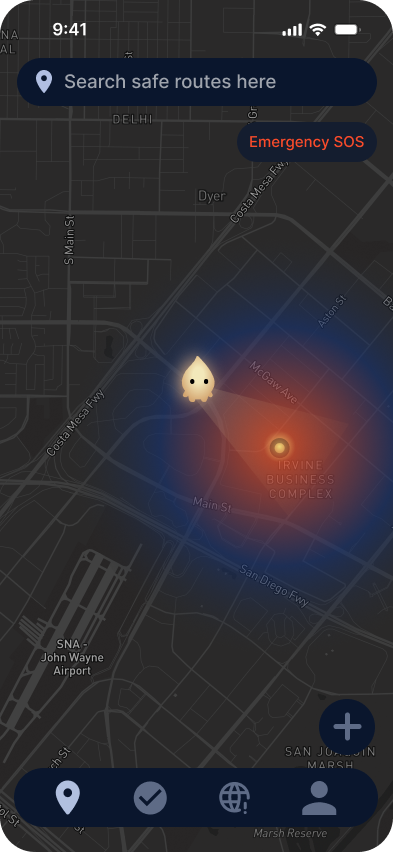
The heat map showcases a map of the current location of the user and uses different colors to indicate whether the user to close to or getting closer to an area that is known to have dangerous activity going on. This is based on user submissions. The map also includes a search feature that allows the user to find the closest safe zone and navigate them to it.
Emergency Contacts
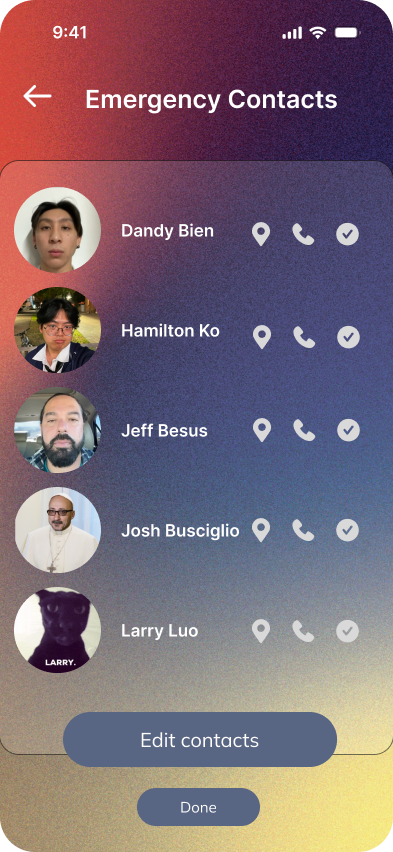
A button with a red siren symbol is present in the upper right corner of the app. When clicked on, the user is brought to a screen where they have two choices: dial 911 or dial one of the emergency contacts that the user has assigned which they can alter in settings. This feature is meant to help users when they are in danger to spend less time going through the steps of dialing emergency services, a friend, or family member.
Virtual Check-in
This feature allows the user to notify a friend or family member about where they are going and requires the user to contact the person they chose after either a set amount of time or when the user arrives at their destination. The person they choose to send the check-in will receive a text with a link that allows them to track them live and see the route they are taking to their destination.
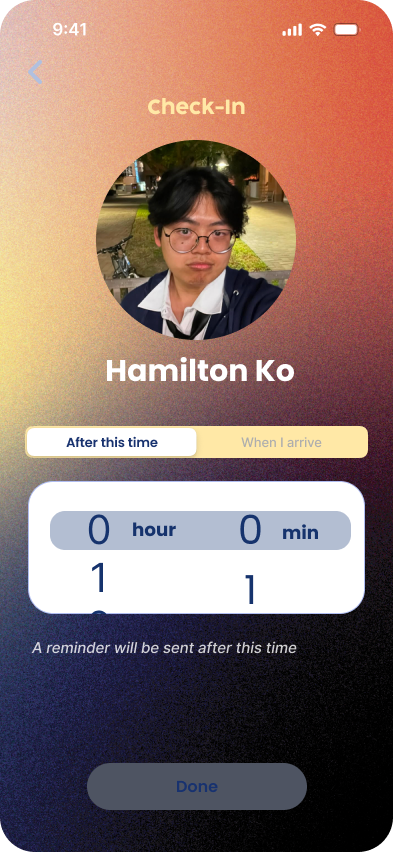 What the user sees when sending a check-in
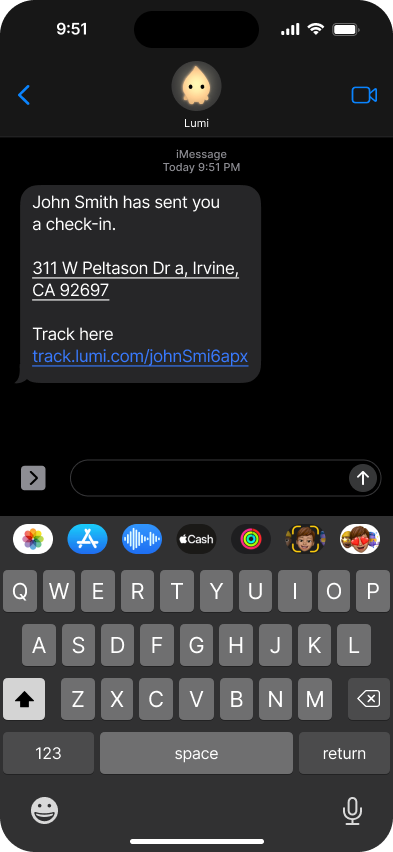 How the recipient receives the text
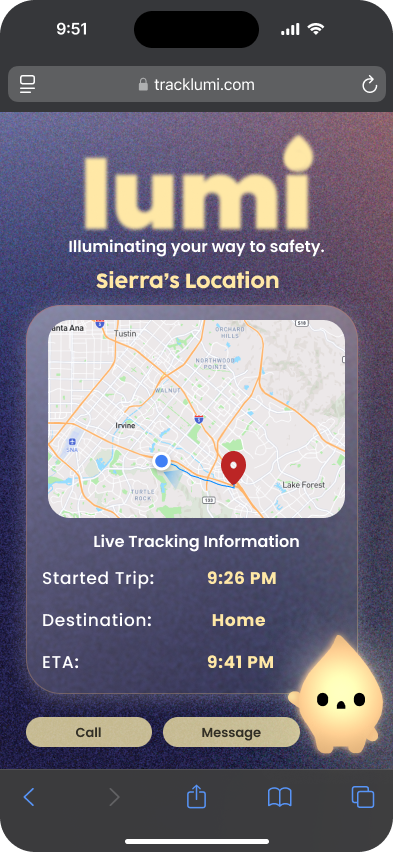 What the recipient sees after clicking the link
Design
To ensure that the user is able to use the app discreetly, we chose a darker color scheme to avoid a bright screen light as we expected this app to be commonly used at night as well as provide a sense of comfort for the user. For example, we utilized red for buttons that are meant to be used in emergencies as well as for the heat map to showcase the area as someplace that the user should be wary of. The buttons and sliders are reminscent of the Apple interface to provide some familiarity and ease of use to the app.
Demo
If video can't be played, click here to view the project demo.
Demo Day
 Team Lumi at Demo Day